
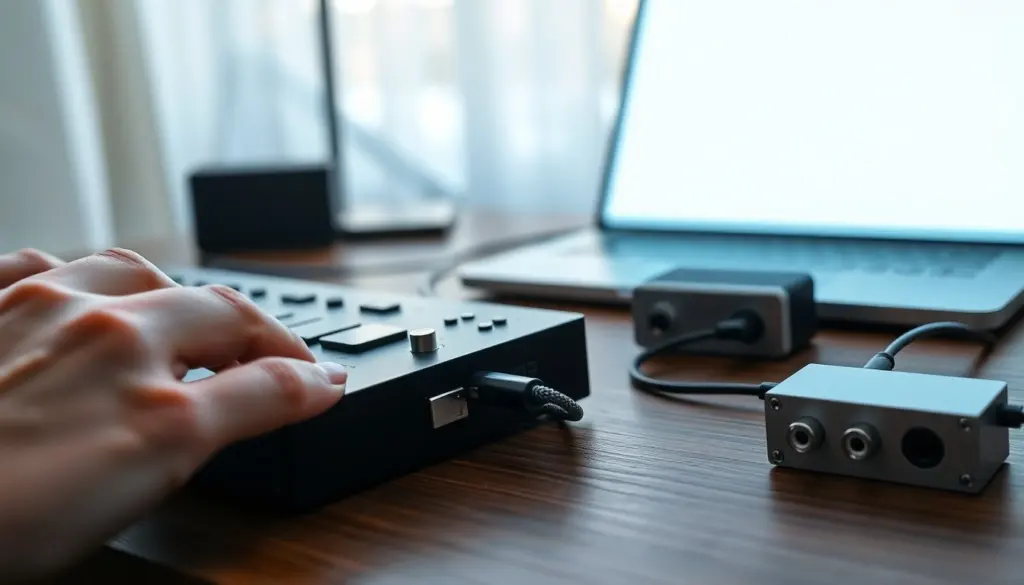
Through a USB cable, musical instruments and computers exchange performance data, that’s the practical definition of MIDI over USB. It transfers notes, controller movements, sync messages, and program changes as digital messages rather than audio, letting devices communicate with low latency and minimal setup. Musicians, producers, and live technicians use USB‑MIDI to record, trigger, and automate instruments with modern workflows.
Key Takeaways
- MIDI over USB transfers digital performance data like notes and controller changes, not audio, enabling efficient device communication with low latency.
- Most USB-MIDI devices are class-compliant, allowing easy plug-and-play use without extra drivers, especially on mobile and modern operating systems.
- Choosing hardware depends on your workflow: simple controllers suit software setups, while interfaces with DIN ports support legacy gear integration.
- Optimizing audio buffer sizes and using quality cables helps minimize latency and improve MIDI over USB performance during live and studio sessions.
- Regular firmware updates and proper setup ensure reliable USB-MIDI connectivity and maintain compatibility with your computer or tablet.
- USB-MIDI technology streamlines music production and live performance by connecting keyboards, controllers, and synthesizers seamlessly through USB.
How MIDI Over USB Works: Signals, Protocols, And Hardware
Quick Facts
- MIDI data sends performance information (notes, velocity, CC) not audio.
- USB‑MIDI can run over class‑compliant ports or driver‑based devices depending on the hardware.
- Typical latency is low enough for real‑time playing, but total performance depends on buffers, drivers, and CPU.
How MIDI over USB operates combines a few layers: the physical USB transport, the MIDI message format, and host drivers or class‑compliant interfaces. At the lowest level, a USB cable carries packets between a device (keyboard, pad controller, audio interface) and a host (computer, tablet). Those packets contain MIDI messages defined by the original 1983 MIDI specification: note on/off, velocity, Control Change (CC), Program Change, System Exclusive (SysEx), and timing messages. Modern devices encapsulate those messages inside USB packet structures.
There are two common setups. Many controllers use USB class‑compliant mode, which means the operating system recognizes the device without extra drivers and exposes standard MIDI ports. Other hardware, especially older or feature‑rich interfaces, uses vendor drivers to support multiple ports, low buffer sizes, or proprietary features like extended SysEx handling. On the host side, DAWs and MIDI utilities route these virtual MIDI ports to instruments, arpeggiators, and sequencers.
Hardware variety matters: a simple USB MIDI controller will present one in/out port and rely on the host for routing. Multiport audio interfaces and dedicated MIDI interfaces provide 5‑pin DIN ports plus to USB, letting legacy synths join a USB workflow. When a device uses USB bus power, it draws electricity from the host: others need a dedicated power supply.
Common performance considerations include USB polling, driver efficiency, and audio buffer sizes. High buffer sizes reduce CPU load but increase latency: optimizing driver settings and using class‑compliant devices when possible keeps round‑trip latency low for live playing.
Common USB‑MIDI Devices And Practical Use Cases
USB‑MIDI shows up in a wide range of gear and each use case benefits from different device traits.
- Keyboards and controllers: Compact MIDI keyboards, pad controllers, and expression controllers use USB to send note and CC data directly to a laptop for sketching, composing, and live MIDI mapping. They’re ideal when portability and immediate DAW control matter.
- Audio interfaces with MIDI I/O: These combine audio inputs/outputs with 5‑pin MIDI ports and USB connectivity. They suit studios that still own outboard synths and need both audio recording and MIDI syncing without extra adapters.
- Dedicated MIDI interfaces: For studios with many hardware synths, USB hub‑style MIDI interfaces provide multiple DIN ports, each mapped to a virtual USB port. They simplify routing and clocking across racks.
- Mobile devices and tablets: With appropriate adapters, many tablets accept USB‑MIDI for sketching and controller use on the go. Class‑compliant controllers typically require no extra drivers on mobile platforms.
Practical examples: a producer might use a USB controller to play virtual instruments in a DAW: a live performer may route MIDI clock from a laptop to a hardware sequencer via an interface: a sound designer could record MIDI automation to tweak synth patches non‑destructively.
When choosing hardware, consider the workflow: for pure software work, a simple class‑compliant controller is often best. For hybrid setups with older synths, prefer an interface with multiple DIN outputs or an audio interface with MIDI ports. For live rigs, look for sturdy connectors, dedicated footswitch jacks, and low‑latency drivers.
Bold note: compatibility is rarely automatic, some advanced features like deep SysEx transfer, multi‑port routing, or ultra‑low latency require vendor drivers or specialized hardware.
Setup Tips, Troubleshooting, And Compatibility Checklist
Setup tips
- Confirm class compliance: try the device on another computer or a mobile device: if it appears without driver installation, it’s class‑compliant and simpler to use.
- Use quality USB cables and avoid long passive runs: short, well‑shielded cables reduce dropouts and jitter.
- Match buffer sizes: reduce audio buffer for lower latency when playing live, but raise it if you experience audio glitches.
- Route cleanly: assign each hardware port to a named virtual MIDI port in the DAW to avoid confused signal paths.
Troubleshooting quick wins
- No signal: check that the device is powered (bus power vs external), and verify MIDI channels, some devices default to a particular channel.
- Stuck notes or ghosting: update firmware, ensure proper grounding, and test with SysEx‑safe drivers if the device sends large SysEx dumps.
- Latency: measure round‑trip latency with a loopback test (MIDI out to a synth and audio back) and tune buffer/driver settings accordingly.
Compatibility checklist
- Is the device class‑compliant? (helps with mobile/tablet use)
- Does the host OS need drivers for low latency? (Windows often does for advanced features)
- Are there dedicated DIN ports if legacy gear is used?
- Is firmware actively supported by the manufacturer? (firmware updates can fix many issues)
Bold key terms: class‑compliant, latency.
These checks and adjustments keep a USB‑MIDI setup dependable whether in the studio, on stage, or when traveling between sessions.
Frequently Asked Questions about MIDI USB
What is MIDI over USB and how does it work?
MIDI over USB transmits musical performance data like notes and controller changes digitally between instruments and computers using a USB cable. It uses MIDI messages encapsulated in USB packets, allowing low-latency, driver-supported communication between devices.
Why is USB‑MIDI preferred for modern music production workflows?
USB‑MIDI offers low latency and minimal setup by sending digital control data instead of audio, enabling musicians and producers to easily record, trigger, and automate instruments within DAWs and live setups.
What does it mean if a MIDI device is class-compliant?
A class-compliant MIDI device is recognized by an operating system without extra drivers, exposing standard MIDI ports. This simplifies setup and improves compatibility, especially with mobile devices and tablets.
How can I reduce latency when using MIDI over USB?
To lower latency, use class-compliant devices, optimize driver settings, and adjust audio buffer sizes—smaller buffers reduce delay but may increase CPU load. Quality USB cables and proper routing also help maintain performance.
Can USB-MIDI interfaces connect legacy synths with modern computers?
Yes, many USB-MIDI interfaces include traditional 5-pin DIN ports alongside USB connections, allowing older synthesizers to integrate seamlessly with modern digital setups through MIDI data transfer.
How do I troubleshoot no MIDI signal over USB connection?
First, ensure the device is powered, check MIDI channel settings, verify connected cables, and confirm the device is recognized by your computer. Updating firmware and drivers can also resolve communication issues.

Leave a Reply